中华人民共和国节日、纪念日、法定节假日调休补班、二十四节气、天干地支农历日历
https://yangh9.github.io/ChinaCalendar/cal_holiday.ics
农历、天干地支
https://yangh9.github.io/ChinaCalendar/cal_lunar.ics
其他日历
中华人民共和国节日、纪念日、法定节假日调休补班、二十四节气、天干地支农历日历
Chinese-Lunar-Calendar-ics
https://lwlsw.github.io/Chinese-Lunar-Calendar-ics/chinese_lunar_my.ics
为 GNOME Calendar 添加农历方法
打开 GNOME Calendar,点击日历>管理日历
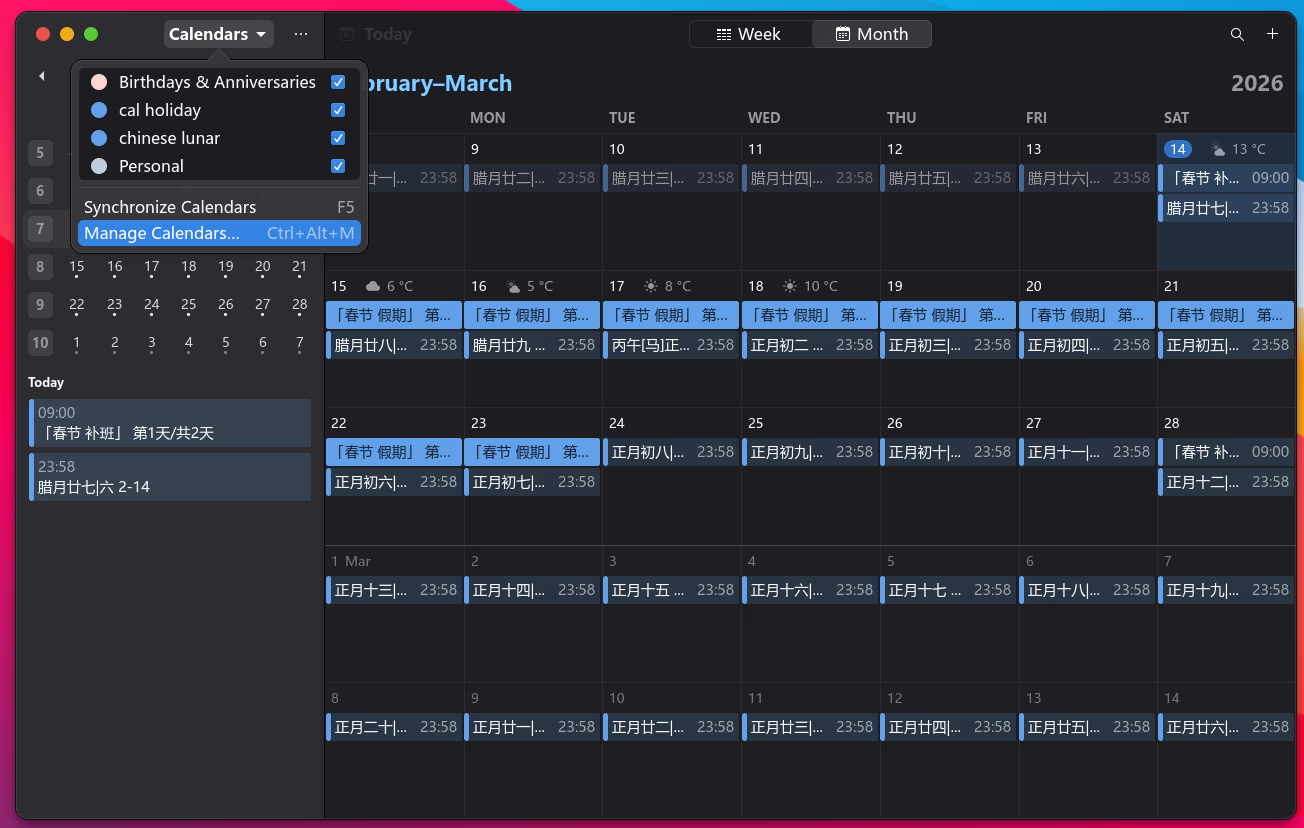
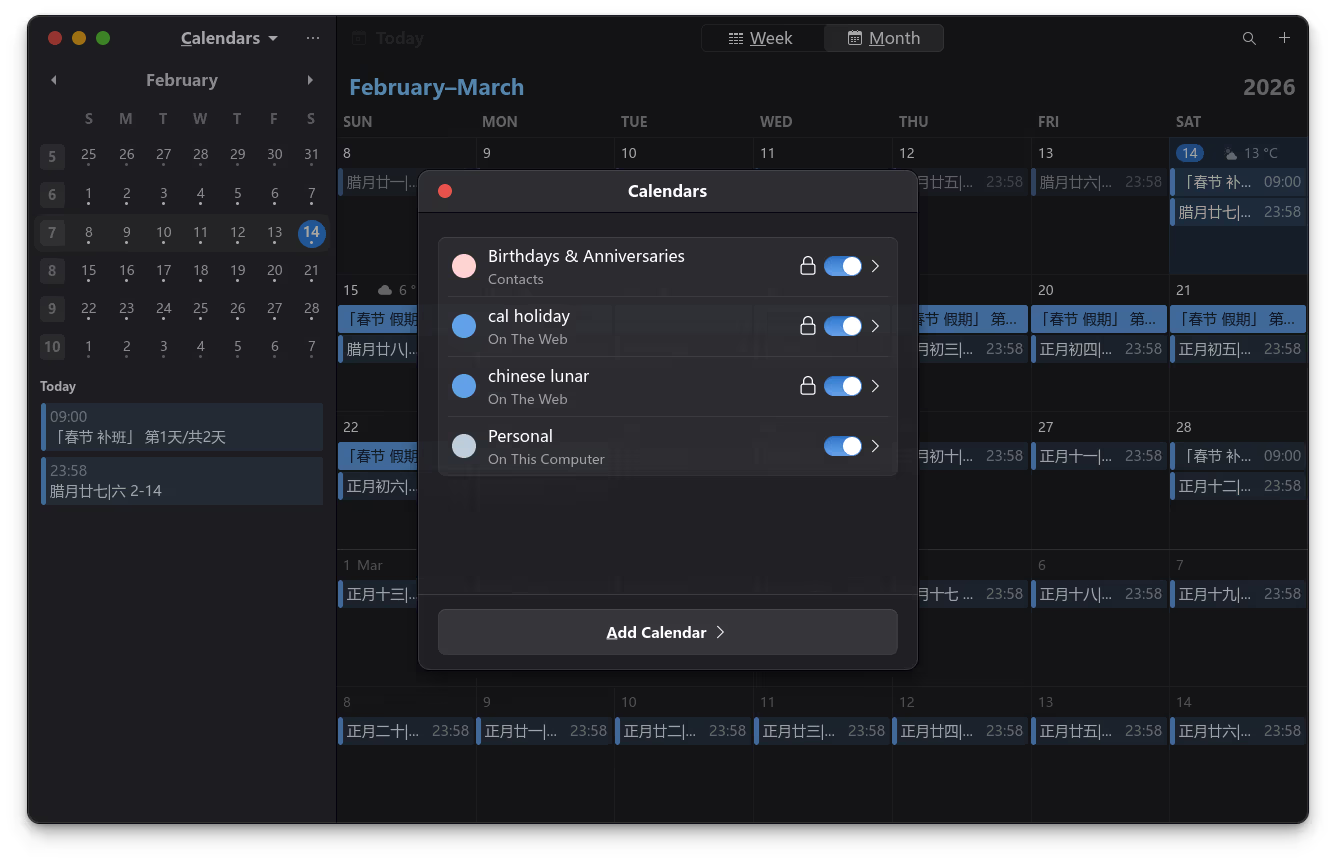
点击添加日历
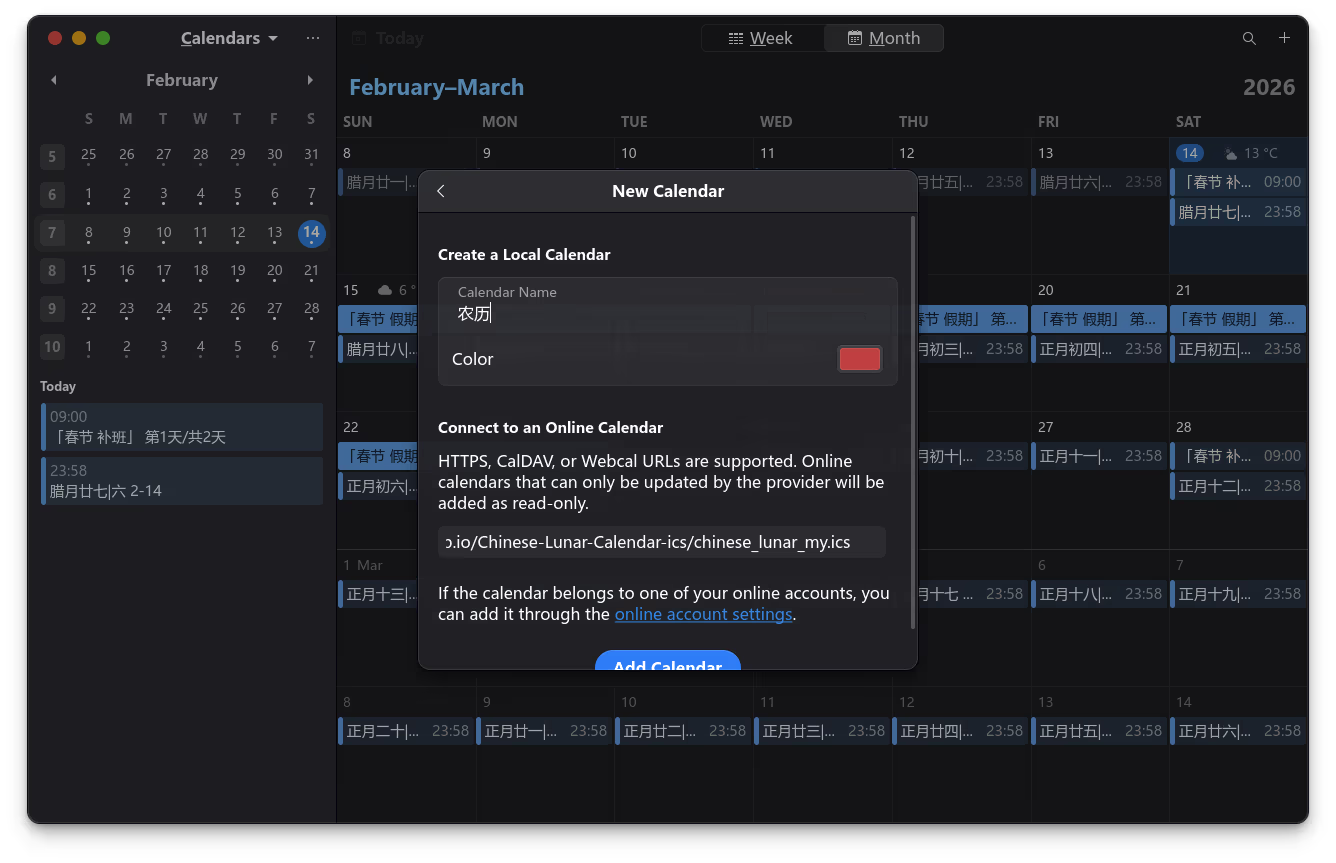
日历名称随便填写一个名字,复制上边的日历地址,粘贴到地址栏,最后点击添加日历
为 GNOME Calendar 添加天气预报
打开 Get the Weather Forecast with Icons in your Calendar,输入城市拼音,例如 beijing;复制 webcal 链接,参考农历添加方法添加天气预报链接即可。
为 GNOME Weather 添加任意城市(位置)
去这个项目 add-location-to-gnome-weather.sh 下载 add-location-to-gnome-weather.sh
赋予执行权限
chmod +x add-location-to-gnome-weather.sh
添加城市
./add-location-to-gnome-weather.sh
假设你想添加北京,输入 Beijing;假设你想添加保定,输入 Baoding。